Focus you can
feel.
A focus timer your AI assistant can plan into and your Logitech hardware can start. Flow scoring, distraction blocking, haptics. No screen needed.
 Get from Microsoft Store
Windows 10/11 · 64-bit · Free forever · No account
or download standalone installerNot code signed yet, so Windows shows a warning. Choose More info, then Run anyway.
One app. Three surfaces.
All synced in real-time over WebSocket.
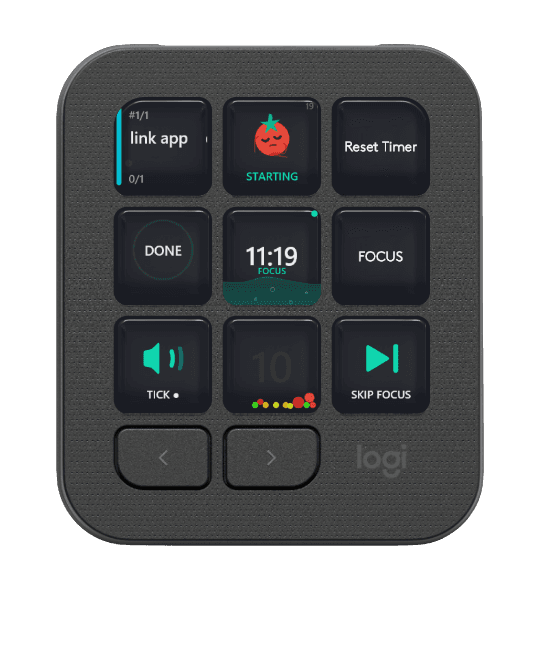
MX Creative Console
9 LCD buttons, physical dial, live mascot, physics jar. Focus without switching windows.
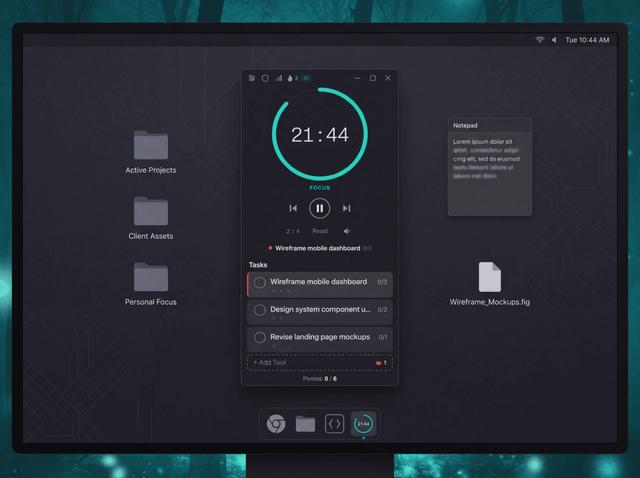
Standalone Desktop
Full timer in your system tray. No hardware needed.
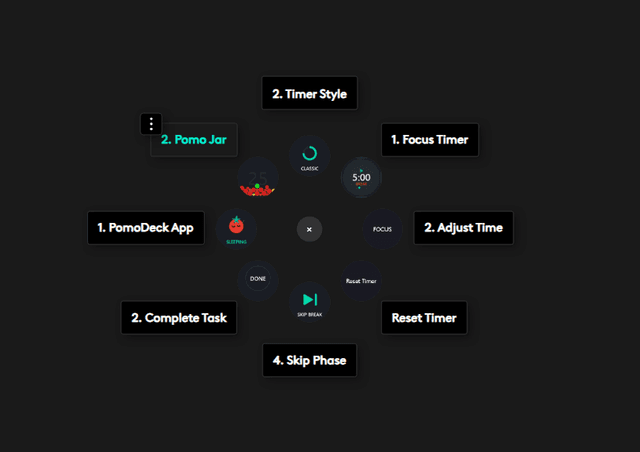
Actions Ring
Timer, skip, tasks. One gesture from your MX mouse.
What a focus session looks like.
Six moments. One session. Your most productive hour.
Set your time. Press start.
Twist the dial or drag the slider. 5 minutes or 120, whatever fits the work. No rigid 25-minute rule. The session begins the moment you press the button.
Your focus builds a score.
A number from 0 to 100 that updates every second. Eight real signals tell you whether you're working, not just sitting there. Watch it climb as you lock in.
Add the Stripe live key to Vercel
Your AI plans the day. You focus.
PomoDeck is an AI Pomodoro planner as well as a timer. It speaks MCP, so Claude, Cursor or VS Code can read your real schedule and put work on your clock. When your assistant hits something only you can do, it hands the job back with the steps written out, instead of a line in a chat you never scroll back to. It checks plans against what you actually finish, and it can never start your timer, so every session in your history is one you really ran.
Know what you're working on.
Add tasks before you start. Check them off from your console or the app. When the session ends you see what got done, not just that time passed.
Distractions die on arrival.
Muscle memory opens Twitter. PomoDeck catches it. Blocked before the page loads. Your focus color stays intact. When break starts, everything unlocks automatically.
Session done. Into the jar.
A haptic pulse in your mouse. The timer stops. Your tomato drops into the physics jar, sized by duration and coloured by focus quality. They collide, settle, stack. You never know exactly what you'll earn.
Already using the plugin?
Here's what the desktop app adds. Connects automatically.
Free forever. Pro remembers everything.
Every install starts with 7 days of Pro. No card, nothing to cancel.
Free
No account, no card, no expiry
The whole daily habit is free. Pro is about memory and power.
- ✓ Timer (1–120 min)
- ✓ Flow scoring + session grades
- ✓ Unlimited tasks
- ✓ Unlimited site & app blocking
- ✓ Pomo Jar + streak
- ✓ Last 7 days of history
- ✓ Plugin sync + haptics
8 MB. No sign-up.
Pro
That's $1 a month, billed yearly
Or $96 once for a lifetime licence. Or $2.99/month if you'd rather not commit.
- ✓ Everything in Free, forever
- ✓ Your full history, any date
- ✓ Yearly heatmap and lifetime records
- ✓ Eisenhower Matrix and priority sort
- ✓ Custom sounds, all themes and languages
- ✓ Let an AI assistant plan your day
25% off with LAUNCH100. First 100 only.
30 seconds to focused.
Download
8MB install
Launch
Sits in system tray
Focus
Auto-connects
No accounts. No sign-up. No internet after download.
Your console is waiting.
Or just your system tray. Either way, focus you can feel.
Windows 10/11 · 64-bit · Free forever · Pro unlocks everything